Fetch TV: Pricing, Fetch Boxes, and TV Guide
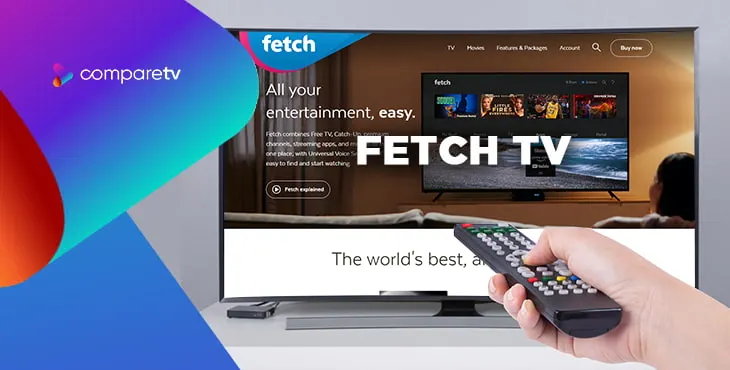
Pay TV in Australia has for a long time been dominated by Foxtel. But over the last decade, Fetch TV has risen to prominence as one of Australia’s best TV providers. Now offering customers a wider selection of premium channels than ever before, Fetch TV is solidifying itself as a must-have in Aussie homes!
With a Fetch TV box, you can get access to most of the big streaming services - as well as free-to-air TV - all in the one clever set top box. You’ll find that Fetch TV is well worth the price, with tons of channels and programs at your fingertips.
So, what’s on Fetch TV? How much will it cost you in Australia? How can you access it and how can it be bundled with other services? Find all the answers to these questions and more in this Fetch TV guide. Alternatively, check out our Fetch TV review for more details.
What’s in This Guide?
What is Fetch TV?
Fetch TV is a paid service that’s delivered through a very clever set-top box and an internet plan. It gives you access to entertainment including free-to-air TV, certain streaming apps, premium channels (45+ Fetch TV channels), special interest sports channels (like beIN Sports for the UFC), Optus Sport, on-demand movies and TV shows, and universal voice search.
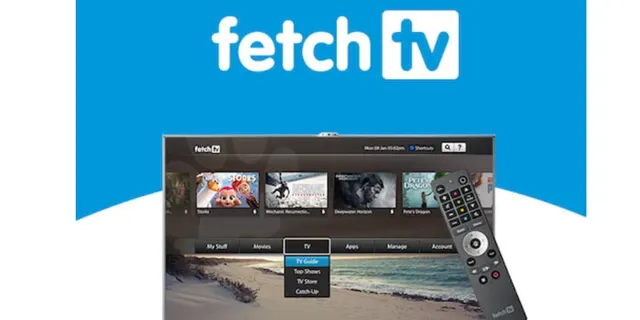
All of this comes together in one of three Fetch TV boxes - the Mini, the Mini 4K, and the Mighty. To get near-unlimited entertainment with just a single remote, all you need is a stable internet connection and a Fetch TV box.
Fetch TV delivers its premium channels in a set of four low-cost packs and one all-encompassing pack (these are called the Kids, Knowledge, Vibe, Variety, and Ultimate channel packs). This lets you target the channels to a specific interest or desire, or have them all at a discount.
It really is as simple as that. There are no hidden catches and you can add and remove channel packs each month as it suits you. There are also optional extra channel packs for premium sports and for international viewers.
How Much Does Fetch TV Cost?
There are two ways you can buy Fetch TV in Australia. You can either buy Fetch TV from one of several NBN providers (like iiNet, iPrimus, or Aussie Broadband), or directly from an appropriate retailer. These include JB Hi-Fi, Bing Lee, Harvey Norman, Kogan, and Qantas Frequent Flyer.
The actual monthly cost of adding Fetch TV to your existing NBN internet connection, or bundling the service with a new broadband plan, varies depending on your chosen internet provider. In all cases, you’ll get to choose the Fetch box you prefer. If you’re after a box that can record hundreds of hours of TV, the Fetch TV Mighty is the one for you.
Numerous internet providers offer plans with Fetch TV bundled in as an add-on, letting you get the service set up easily and pick your channel packs to get started quickly. Always check with your broadband provider to find out the actual cost of Fetch TV. Plus, it’s always worth browsing between providers to find the best Fetch TV offers out there.
Internet Plans With Fetch TV
While Fetch TV is available as a standalone subscription, it makes a lot more sense to find cost-saving Fetch TV bundles that include home internet. That way, you can save yourself more money and make your bill payments much more streamlined by paying for everything in one go.
There are various ways to bundle Fetch TV with your internet package. For instance, the Fetch TV Mighty box and the Starter Pack (which includes access to the TV and movie stores, various apps, 30 free movies every month, and the ability to watch on mobile and record TV) can be bundled with eligible broadband plans from providers like iiNet, iPrimus, and Aussie Broadband.
After you bundle Fetch TV, you can then choose to add on various channels and channel packs. The Kids, Knowledge, Vibe, and Variety packs all cost the same to add on, while other special interest channels are also available for varying prices.
Fetch TV Guide
Once you have your Fetch TV box and have signed up for a Fetch account, you can choose from any of the four channel packs to tailor your viewing to what you want to watch. Each pack costs only a small fee, meaning you can get a lot of TV for not very much money.
The packs are themed broadly around the content included within. It’s a nice broad selection of channels overall that provides a wealth of entertainment and information featuring some very familiar channel names. You can even get access to Fetch TV’s virtual channels, which add even more content to the service.
If you still want more, you can access the Fetch TV & Movie Store, from which you can buy or rent individual episodes or full seasons of your favourite shows and films, including Game of Thrones, The Walking Dead, Outlander, and many more.
So, what’s waiting for you on Fetch TV? Take a look at some of the top picks of the Fetch TV library:
 5.4
5.465
 5.9
5.9Cocaine Bear
 6.3
6.3Black Adam
 7.1
7.1DC League of Super-Pets
 6.2
6.2Thor: Love and Thunder
 7.2
7.2Where the Crawdads Sing
 7.3
7.3Elvis
 7.0
7.0The Northman
 7.2
7.2Good Luck to You, Leo Grande
 8.4
8.4The Handmaid's Tale
 7.2
7.2Agatha Raisin
 7.3
7.3Chucky
 5.8
5.8La Brea
 7.1
7.1FBI
 7.8
7.8NCIS
- Australian Survivor8.5
Australian Survivor
 8.3
8.3Why Women Kill
 8.2
8.2MasterChef Australia
- Killing Eve8.1
Killing Eve
Fetch TV Benefits & Features
Through just a single Fetch TV box, you can stream movies and TV shows all in one simple place. You’ll benefit from easy access to your favourite streaming apps, as well as live sport and ultra-current films and programs. Here are the benefits and features you can expect when you sign up for Fetch TV:
Access Your Favourite Streaming Services
Fetch TV offers a wide range of apps built into the menus that let you watch your favourite subscription streaming services. These include popular apps like Netflix, Disney Plus, Stan, Amazon Prime Video, Hayu, Paramount+, BritBox, DocPlay, and more. Also offered in Fetch TV are more specialised streaming services, such as iwonder, Vevo, Vimeo, TED, Acorn TV, and YouTube.
When you purchase Fetch TV, you can combine all your subscription TV services and get direct access (including universal search) through one Fetch sign-in. Now you won’t have to worry about managing all your services, as Fetch organises them all for you in a single place.
Premium Channels
You can have as many or as little channels as you want on Fetch TV. The beauty of the service lies in the fact you get a choice of what channels you want to own. Decide on one or all channel packs based on the content that best suits your needs. Each pack is available for a small fee, or save money by buying them all together with the Ultimate pack.
| Package | Monthly Price | Channels Included |
|---|---|---|
| Kids Pack | $7.99 | Nick, Nick Jr, Nick Music, BabyTV, ZooMoo |
| Knowledge Pack | $7.99 | Discovery Channel, BBC Brit, Travel Channel, Animal Planet, Food Network, BBC Earth, HGTV, CNBC, CNN, France 24, BBC News, Bloomberg Television, CNA, MSNBC, Al Jazeera, Euronews, Times Now, Curiosity, Love Nature |
| Vibe Pack | $7.99 | ESPN, ESPN2, MTV, MTV Hits, Club MTV, MTV 00s, MTV 90s, MyZen TV, Fashion.TV |
| Variety Pack | $7.99 | BBC Drama, Investigation Discovery, Oxygen, Discovery Turbo, MTV 80s, Universal TV, BBC UKTV, TLC, Stingray CMusic |
Free TV apps and shows
Through your Fetch box, you’ll also get access to free-to-air streaming apps (examples include ABC iview, SBS on demand, 7Plus, 9Now, 10Play, and ABC Kids). What’s more, you’ll also get catch-up content from your favourite international channels, like Discovery, BBC First, Nick, MTV, National Geographic, and BBC Kids.
Through the universal search feature, you’ll be able to see where your favourite show is, regardless of where it’s available. If you want to find a certain show but don’t know where to find it, just search for it using the Fetch TV remote or by voice control. You’ll be able to find where it is, whether it’s on a paid service, free-to-air, or on-demand.
What are Fetch TV’s Best Features?
Live Sport on Fetch
The Fetch TV box also gives you direct access to sports streaming services like Optus Sport, beIN Sports, and ESPN. That way, you can stream live sports without worrying about which service the game’s on - just type it into your Fetch TV and up it comes.
The best way to watch Fetch TV for live sports is to subscribe to the Fetch Vibe or Ultimate Packs, both of which include ESPN and ESPN2, as well as access to the WatchESPN app.
There are also premium sports options you can add at any time with no lock-in contracts. You can get access to all three beIN Sports channels, with the best football from around the world, as well as international test rugby and WTA Tour action. Fetch TV has offered beIN Sports for years, so there’s a good partnership there.
And if you’re a fan of the English Premier League, you can add Optus Sport onto your Fetch TV package. This will grant you exclusive access to the league, meaning you can enjoy 24/7 EPL action.
Fetch TV Boxes
There are three different Fetch TV boxes you can choose from: the Fetch TV Mini, the Mini 4K, and the Mighty. You can watch premium channels on any of the three, the key differences lie in recording capabilities. Below, you’ll find summaries of each Fetch TV box:
Fetch Mighty
The more advanced of the two set-top boxes offered by Fetch, the Mighty allows recording of up to six different shows at the same time, as well as recording from Fetch’s internet-delivered streaming channels. The Mighty has a huge 1TB hard drive built in which can record up to 585 hours of TV, and you can easily set recordings from the on-screen program guide or the free Fetch app. Thanks to the app, you can even record when you’re out and about, or stream your premium channels directly on the app wherever you are.
Fetch Mini
Tiny but incredibly powerful, the Fetch Mini is a cheaper option that takes out the recording features of its big brother and focuses entirely on streaming. Otherwise, the feature set is almost exactly the same, and it can even pause and rewind short stretches of live TV with an inbuilt buffer. Hugely popular as an affordable and hassle-free way to get Fetch TV and its channels into your home, the Fetch Mini also happens to be one of the most powerful streaming devices on the market.
Fetch Mini 4K
With Fetch’s new Mini 4K, TV and streaming enthusiasts don’t need to purchase the more expensive Mighty set-top box in order to enjoy watching shows and movies on a much higher resolution. The features of this latest version are pretty much still the same as those of its original, except for its exciting 4K capacities and the inclusion of the Bluetooth voice remote.
Contact Fetch TV
If you’ve purchased Fetch TV as an add-on or bundle with your home internet, it’s best to contact your internet service provider for help resolving any issues. This is because Fetch does not have access to your account information and can’t troubleshoot your account, but your provider can.
If you purchased a Fetch TV box from a retailer and have an account directly with Fetch, you’ll want to contact Fetch directly. Head to Fetch TV’s website and log in using your username and password. You can then follow the online troubleshooting process or, if you’d prefer, you can fill out a short form detailing the problem and Fetch will get back to you via email as soon as possible.
Fetch TV FAQs
Still got some questions regarding Fetch TV? Check out these FAQs to find the answers you’re looking for.
Do I Need a Technician to Install Fetch TV?
No - that’s the great thing about Fetch TV. All you need to do is connect your Fetch box to your TV antenna and your internet via WiFi or ethernet and you’re good to go! It’s quick, easy, and painless, and you can even take your box with you if you move.
Can I Get Foxtel Now on Fetch TV?
No - and you most likely never will. Fetch is, in many ways, a direct competitor to Foxtel and Foxtel Now, providing a pay TV set top box but using broadband internet to deliver channels. If you’re keen to try Foxtel Now, we’d recommend picking up either the Foxtel Now box or the Telstra TV 3. However, Telstra’s acquisition of Fetch means that the latter is now the new platform for Telstra TV, so there may be some big changes to be announced later this year.
Can I Get Kayo on Fetch TV?
No. Since it’s part of the Foxtel company, Kayo Sports is unlikely to ever be made available as a Fetch TV app. To access Kayo on a TV, we recommend either the Apple TV 4 or the Telstra TV 3, both superb devices for streaming sports and TV. If you’re on a budget, a Google Chromecast works perfectly well.
Are Any Streaming Subscriptions Included?
No, it’s up to you to subscribe to the streaming services you want to use on the Fetch box. Of course, you can bring your existing subscriptions over to your new Fetch box and start streaming Netflix, Prime Video, Hayu, Stan and others immediately once you’re all set up.
Can I Record on Fetch TV?
Yes, provided you have the Fetch Mighty box. Unlike the Fetch TV Mini and the Mini 4K, you can record multiple channels at the same time. The Fetch Mini doesn’t allow recording, but you can pause live TV for up to around half an hour, or rewind and replay as needed.
How Many Channels Can the Fetch Mighty Record at Once?
The Mighty is one of the most powerful video recorders on the market, able to record up to six channels at once while you watch a seventh. In other words, you’ll never miss a show again! The Fetch TV Mighty box is worth it for its recording capabilities alone.
Can I Use a Second-Hand Fetch TV Box?
Fetch recommends that you avoid buying a second hand box, because the previous owner will likely have registered it to their account and ISP, and that can’t be changed. If the seller bought their box outright from a retailer, then you can use the box - but you’d want to be 100% sure or you’ll end up with an expensive paperweight!
Can I Use Fetch TV With Telstra?
Yes. If you purchase a Fetch Mini or Mighty outright at a retailer, you can use it with any broadband provider once you’ve got the box set up and activated. Of course, a broadband plan with unlimited data is highly recommended, since Fetch’s channels all work via continuous broadband streaming.
Can I Watch Fetch TV on My Phone?
Yes! Fetch has a free app for both iOS and Android that you can download and pair with your Fetch box. You can stream live TV from the app - including your recordings - wherever you are. You can also download purchased or rented shows and movies to your phone to watch later without using precious mobile data.
Can You Get HBO on Fetch TV?
No. The rights to HBO in Australia are owned by Foxtel, so you’ll find HBO’s shows there as well as on their on-demand streaming service BINGE. You can still purchase HBO shows from the Fetch TV store, though, so it’s not all bad news.
Can You Use Fetch TV Without Internet?
You can use Fetch’s Mighty and Mini without an internet connection to watch free-to-air broadcasts and recordings, but only for a few days. After that you’ll see a message that the box is locked, and you’ll need to connect it to the internet to keep using it.
Does Fetch TV Use Internet Data?
Yes - all of Fetch’s premium channels are delivered via broadband internet streaming, rather than a satellite dish, so they use data for as long as you watch them. We’d recommend a broadband plan with unlimited data if you’re going to use Fetch TV.
How Much Data Does Fetch TV Use?
If you’re getting Fetch TV via an internet provider like iPrimus or Dodo Broadband, you don’t need to worry about data usage, since it’s only available on plans with unlimited data. If you’re buying the Fetch box yourself, it’s best to use it on an unlimited plan to avoid excess charges, since all Fetch premium channels are delivered via streaming.
Can I Use the Fetch TV Box with Another Internet Provider?
If you get your Fetch box from a provider like iPrimus, the box is only able to be used with their network, as it’s a part of your internet plan. If you’re likely to switch internet providers in the future, the best option is to buy the box outright. Fetch boxes bought at a retailer work with any provider.
How Do I Get a Replacement Fetch TV Remote?
To order a replacement Fetch TV remote, sign into your Fetch account on their website. Head to “Account Settings” then “Hardware Replacement” and select “Remote Control”. From there, you’ll be able to order a new device. Alternatively, you can call your internet service provider if you bought the box through them.
How Do You Add Apps to Fetch TV?
Unlike more conventional streaming boxes, you can’t add extra apps to your Fetch TV box. Instead, the apps are chosen and developed by Fetch and are all installed by default. If your favourite streaming service isn’t there, it’s probably because Fetch TV doesn’t offer it. After all, there’s a fairly sizable Fetch vs Foxtel rivalry going on.
How Do You Reset the Fetch TV Box?
To restart your Fetch box, head to the “Settings” section. Select “Device Info”, then “Options”, and choose “Fetch TV Box Restart”. If you’re unable to access the menu, try turning your Fetch TV box off, waiting 30 seconds, then powering it up again.
How Do You Turn Off Subtitles on Fetch TV?
Turning subtitles off and on is easy - just press the Text button on your Fetch TV remote! It’s right above the Apps button. If this still doesn’t work, there may be a problem with your remote. Head to the Fetch website or call your ISP to order a new one.
How Do You Unlock a Fetch TV Box?
If you’ve purchased a Fetch box second hand and found that it’s locked, unfortunately there is no way to unlock it. A Fetch TV box locks to the broadband provider that originally distributed it, so you’ll have to purchase a new box if you want to change ISPs.
How Do You Watch Free-To-Air TV on Fetch?
You need to make sure that the cable from your free-to-air antenna is plugged into the back of the Fetch box. Once you're all set up, simply scan for available channels during the initial setup of the box. You’ll then find these channels in your Electronic Program Guide to watch and record.
What Channels Come with Fetch TV?
Unlike Foxtel, Fetch TV doesn’t come with any default channels. However, most ISPs that provide Fetch also give you a choice of one channel pack at no extra cost (and often, 30 free movies a month as well). You can browse the various channel packs and see what they include on the Fetch website.
Can I Play My Own Videos on a Fetch TV Box?
Yes you can - just plug a USB drive into the Fetch Mighty or Mini box and play a wide range of different video, audio, and even picture files. You can play your own media on a Fetch TV box from anywhere on your home network.